Creating Ancestor Reports
Have you ever looked at what others have posted about their ancestors and wondered how they created the post? That's where my mind has been since Randy Seaver wrote 'Dear Randy: How Do you make the descendant list ...'.
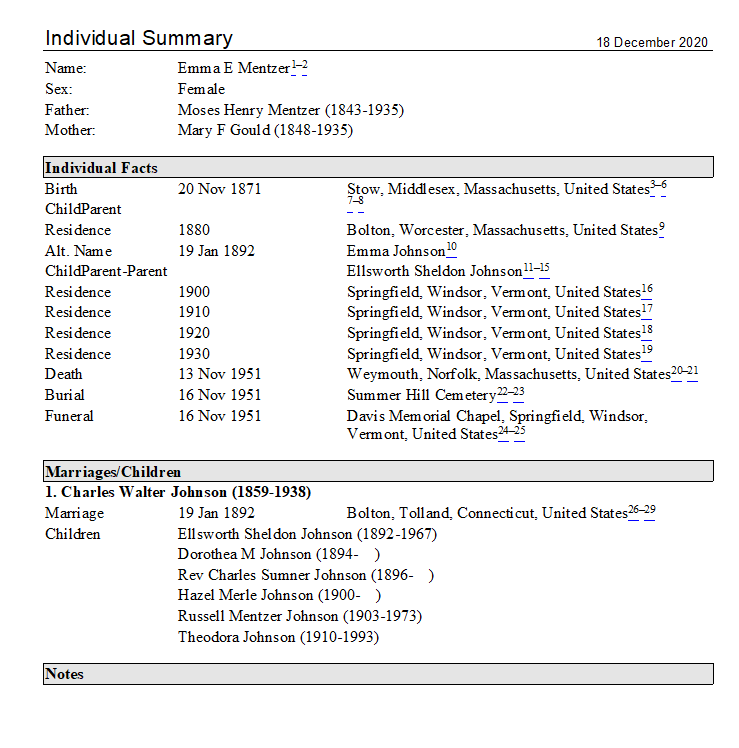
Not only was I intrigued by that post, but I investigated some of his '52 Ancestors' posts and wondered how he created those posts. Basically, those posts have the following sections: Descended through, Person, Individual Events, Shared Events, Notes, Sources. Since I know that Randy Seaver is a RootsMagic user, I wanted to see if there was a RootsMagic report that would automatically create similar content. And I believe I've figured it out! I think Randy Seaver is using the 'Individual Summary' Report. The options of this report can be changed to also print the parents and spouses/children.

I used a distant cousin to experiment with this report. My results were similar to those posted by Randy Seaver.
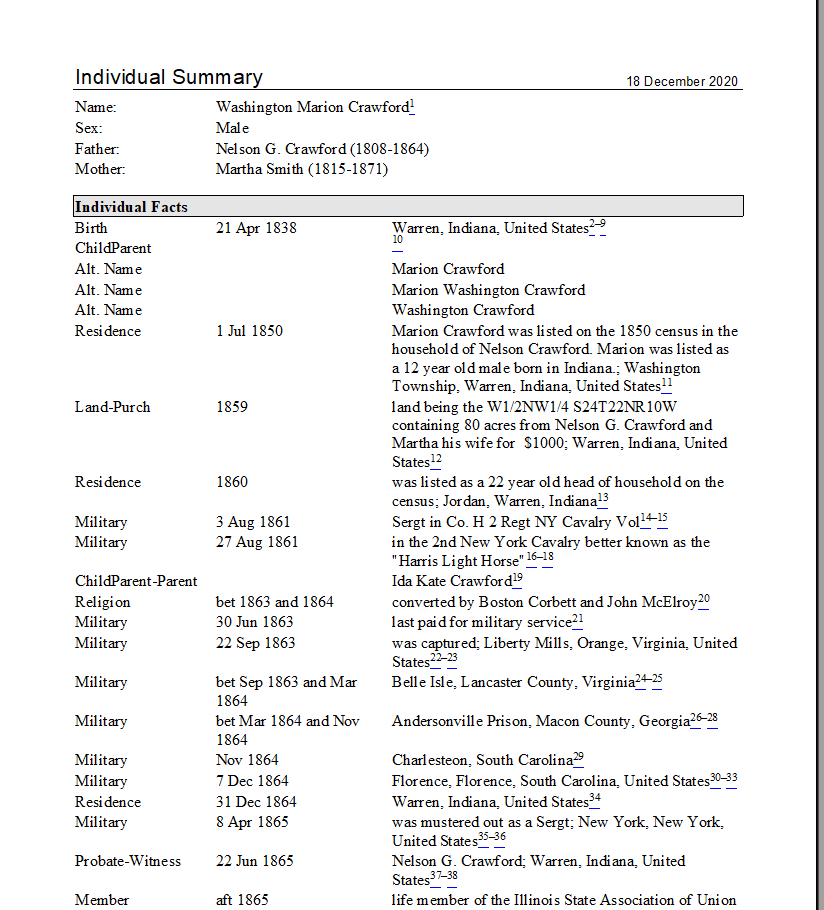
However, when I use that report for one of my ancestors, I get multiple pages of individual facts. Instead of a nice compact report, I have a report that is overwhelming.
For these situations, I prefer the Narrative Report. I have to admit that I was a user of The Master Genealogist. I loved its ability to craft sentences and then pull those sentences into a narrative report. That capability was captured by John Cardinal is his Second Site software to produce web pages based on those narrative reports. (He has also created GedSite which uses a GedCom file to build a web site.)

RootsMagic has a built in Narrative Report that pulls the sentences. One of the limitations of the report is how paragraphs are created. Basically there are three options
- keep fact sentences in same paragraph
- New paragraph after every fact
- New paragraph after facts with notes
The first option creates a report that is one big paragraph.

Option 2 creates a report that is much easier to read - but every sentence is a new paragraph.

The third option would depend on how the Notes are used. Since I converted from TMG, I wasn't used to using the Notes Field. Thus, I don't have a lot of Notes. Since I don't have a lot of Notes, the third option does not impact the output of a narrative report -- I get a large paragraph.
Knowing that I want to use the Narrative report but want some paragraphing, I created a fact type without a sentence. I called this fact type, Paragraph. Then, I just created a fact using a 'Sort Date' to place it where I wanted a new paragraph.

Then, when I create the narrative report, I get multiple paragraphs.

Thus, I need to spend some time with the report figuring out where I want a new paragraph. While doing this, I also review the sentences to make sure they are stating the correct information.
Since narrative reports currently do not include the marriage or birth of children in the report, I've followed advice found on the RootsMagic forum. For the marriage record, I am sharing the marriage family fact with the bride and groom instead of the spouse role suggested in the forum. This allows me to create the sentence for the role. (Note: I couldn't get the suggested sentence to work correctly, so I divided it into two separate roles.)
- Groom Role: [Husband:heshe] married [Wife:given] [Wife:surname]< [desc]>< [Date]>< [PlaceDetails]>< [Place]>.
- Bride Role: [Wife:heshe] married [Husband:given] [Husband:surname]< [desc]>< [Date]>< [PlaceDetails]>< [Place]>.
Since I was used to documenting the parent/child relationship, it has been easy to adapt the suggestion by TomH to create a 'childparent' fact. By adding this fact to the child and sharing it with the parents, I can add source citations that identify the parents. Since I'm not overly skilled at creating sentences in RM, my sentence structures are very simple.


Once finished making sure the paragraphing, sentences and sourcing are how I want them, I have a narrative report that can be created at will for that ancestor.


Comments
Post a Comment